MultCloud License Code Free 3-Month Premium + 200GB

Visit MultCloud
3 months Premium + 200GB transfer traffic
Limited Time
Deal 1Active

Free 3-Month MultCloud Premium + 200GB Transfer Traffic

3 months Premium + 200GB transfer trafficLimited Time

The official giveaway provides 3 months of MultCloud Premium with full Premium feature access and a total 200GB cloud data-traffic quota. MultCloud states the giveaway value as $39.90. The 200GB allowance is for transferring, migrating, syncing or backing up data between cloud services; it is not additional cloud storage. The offer is described as limited-time, but an exact expiry date could not be verified. Could not verify any geographic restriction, one-redemption-per-user restriction, or whether accounts that previously used another Premium promotion are excluded.

How to Claim this Deal

  1. 1
    Open the official MultCloud giveaway page and claim the free license code.
  2. 2
    Sign in or create a MultCloud account. MultCloud's normal free signup does not require a credit card.
  3. 3
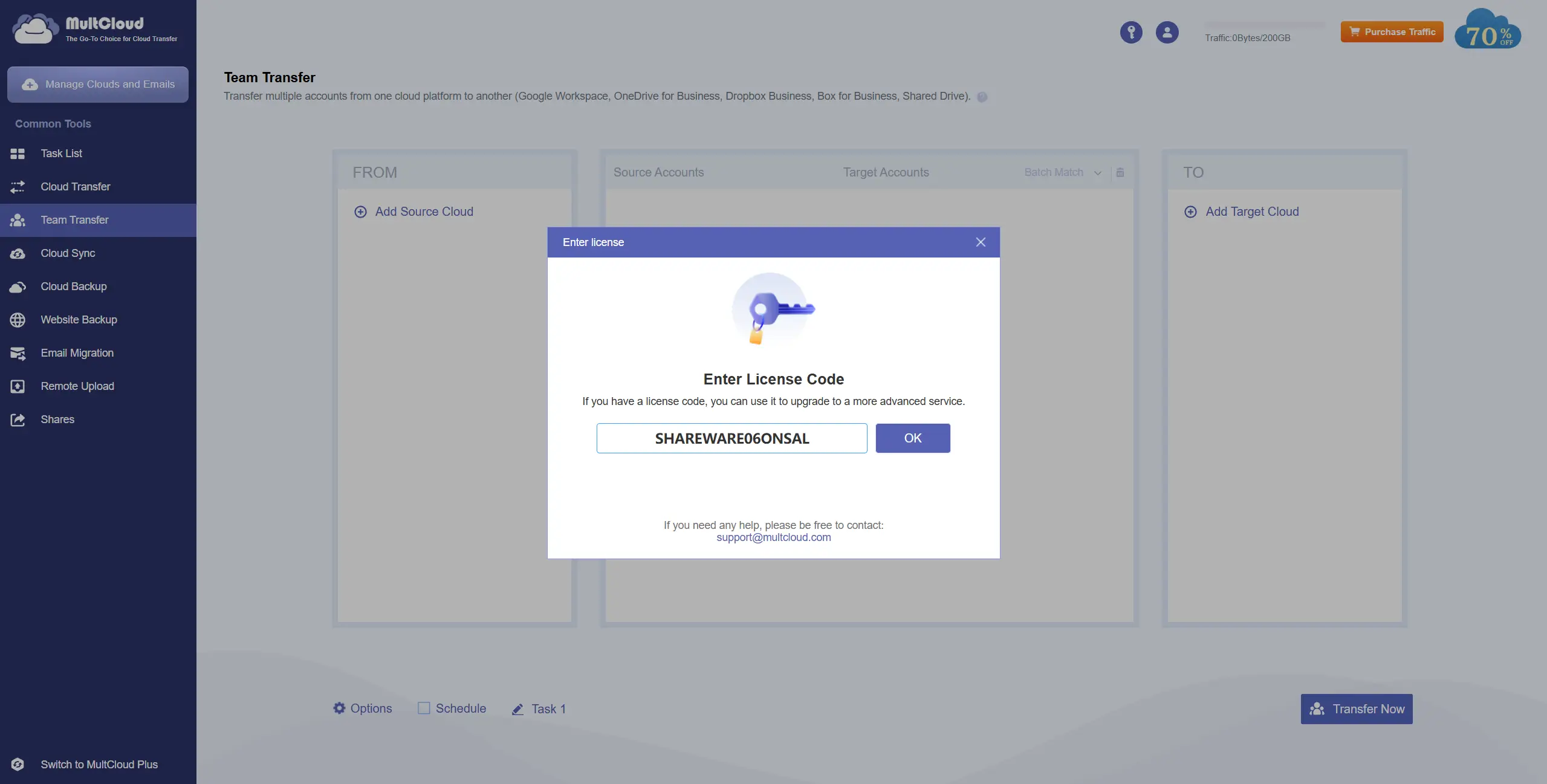
    In MultCloud, click the activation/license option in the top-right corner and enter the giveaway code.
  4. 4
    Once accepted, the account receives 3 months of Premium access plus the 200GB transfer-traffic quota.

What Happens After the deal: After 3 months, the promotional Premium features expire unless the user chooses to upgrade. The official giveaway page does not state that the offer automatically converts into a paid subscription.

Key Benefits

6 items
  • 3 months of full MultCloud Premium feature access
  • 200GB total cloud data-transfer traffic
  • Transfer files directly between supported cloud services without downloading and re-uploading them locally
  • Transfer, sync and back up data between cloud providers
  • Support for 30+ cloud services, including Google Drive, Google Photos, OneDrive, Dropbox, iCloud, MEGA, Box and Amazon S3
  • Web-based transfers that can run between cloud services rather than through the user's local device

Eligibility & Requirements

Requirements
No credit card required
Criteria
  • A MultCloud account is required; the giveaway instructions allow users to register or sign in to an existing account.
  • The giveaway license code must be entered through MultCloud's account activation interface.
  • Users must meet MultCloud's general Terms of Service requirements, including being legally able to enter a binding contract.
  • Could not verify country restrictions.
  • Could not verify whether current paid subscribers or accounts that previously redeemed another promotion are eligible.
  • Could not verify a specific giveaway expiry date.
Proofs and Screenshots
This MultCloud deal page is community-supported, 100% verified under our Editorial Policy, and maintained by Resourify. Your feedback helps us update offers quickly, supporting thousands of students, freelancers, and developers around the globe.

Common Use Cases

  • Move files directly from one cloud service to another without manually downloading and re-uploading them
  • Migrate Google Drive, OneDrive, Dropbox and other cloud accounts when switching providers
  • Manage multiple cloud storage accounts from one interface
  • Set up cloud-to-cloud file synchronization
  • Back up data from one cloud provider to another
  • Schedule larger cloud-transfer and migration jobs
  • Move photo and video collections between supported cloud services
  • Manage connected cloud accounts for personal, student or professional workflows

About MultCloud

MultCloud is an international software company established in 2012 that provides cloud-to-cloud data management tools. Its platform lets users transfer, sync, back up, and manage files across 30+ cloud storage services, making it useful for individuals and teams working with multiple cloud accounts.

Topic

Telegram Channel

We are no longer available on Telegram. Please subscribe through our email newsletter to stay updated on the latest deals and discounts.

No Longer Available